Build Your Own Pivoting Lab: A Starting Point for Internal Network Exploration

summary
Walks through a deployable pivoting lab (Docker Compose, GitHub) with about six to seven hosts and step‑by‑step walkthroughs in English and Spanish; demonstrates local, remote and dynamic forwarding using chisel and Legolo, showing chisel on port 8000 forwarding 5050→internal:80 and reverse 5555→4444, SOCKS tunnels on 1080 with proxychains and slow Nmap -sT scans, and Legolo creating a tun interface with route 192.168.1.0/24 so ICMP and full port scans work. Compares chisel: HTTP tunnel over SSH (simple, detectable) vs legolo: tun interface, full IP routing (more flexible, needs setup).
AI-written summary · about
chapters (14)
- 0:00Pivoting introduction and lab purpose
- 3:35Pivoting scenario and port forwarding
- 9:39Chisel vs Legolo comparison
- 12:26Chisel local port forwarding demo
- 14:55Chisel remote port forwarding demo
- 17:31Chisel dynamic port forwarding demo
- 21:08Legolo features and advantages
- 22:13Legolo dynamic port forwarding demo
- 25:45Legolo reverse port forwarding demo
- 27:14Tool comparison and selection
- 27:58Pivoting lab setup
- 30:27Legolo in pivoting lab
- 34:26Conclusions and recommendations
- 35:10Q&A
related talks
 01h 03mConnecting Remotely Like a Pro
 01h 16mHow To Break a Network
 01h 03mConnect remotely like a pro! Hack VPNs, avoid firewalls, connect even when your machine is down
 01h 14mhttp://exploration
 47mMinimum Viable Linux
 01h 24mTutorial: Attacking and Defending Kube...
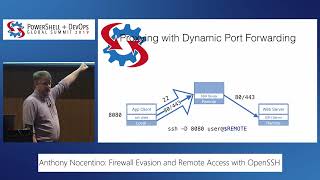 43mFirewall Evasion and Remote Access with OpenSSH
 04mTalk Deep Dive