Smooth Moves: Rendering at the Speed of Right ®

summary
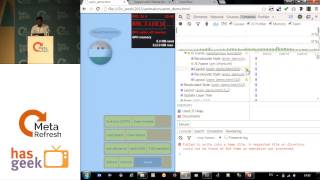
A chat app for cats gets refactored to reach 60fps on low-end hardware (measured on a Nexus 5 and with a sub-$100 target). DevTools features used include the rendering panel, Layers, Performance Monitor and Lighthouse. Concrete wins: replace box-shadow paints with a pseudo-element whose opacity is animated (composited), avoid animating layout, follow RAIL (50 ms response guideline; ~10 ms JS + 6 ms browser per frame), favor requestIdleCallback, position:sticky and CSS scroll-snap; result is far less main-thread paint and smoother input.
AI-written summary · about
chapters (41)
- 0:00Introduction
- 0:31Chat App
- 1:01Design
- 2:15Smooth
- 2:37Smoothness
- 2:58Illusion of Motion
- 3:43What is Smoothness
- 4:03User Experience
- 4:14Statistics
- 4:25Study
- 4:48Rails Goals
- 6:19Response Metric
- 7:39RNA IRL
- 8:12Smooth everywhere
- 8:23Measure
- 9:59Business Time
- 10:26Animations
- 10:42HTML
- 11:22Position Calculation
- 11:52Skia
- 12:19Composite
- 12:34Page Updates
- 14:23Send Button
- 14:56Composited Animation
- 15:28Paint Animation
- 16:13Why this is good
- 16:31Dont animate MaxLite
- 17:01Reading and Writing
- 17:18Rendering Assembly Line
- 17:43Anatomy of a Frame
- 18:06DOM Layout
- 20:59Smooth Moves
- 22:19Measuring Smoothness
- 22:40Position Sticky
- 23:03Scroll Smooth
- 23:26Message Smooth
- 23:48Panning
- 24:35Carousel
- 25:09ScrollSnaps
- 25:30Bounce
- 25:51Summary