Host any Project In Che with Stacks & Chefiles

summary
Claim: one Docker install and one command boots a ready-to-edit Eclipse Che workspace using a Chefile. Demonstrations use Bitnami stacks (Node/Express + MongoDB), custom Docker images and Docker Compose, GitHub and Jenkins; a small todo app is edited live, pushed to GitHub and push to GitHub and Jenkins auto-merge triggers tests and merges to master automatically. Shows how to create custom stacks, add commands and agents, and use che init/che up to mount a local folder — all working end-to-end.
AI-written summary · about
chapters (17)
- 0:00Introduction
- 0:46About Pournami
- 3:44Demo
- 8:45Conclusions
- 10:28Presentation
- 10:55Stacks
- 11:57Add Stacks
- 12:44Create New Stack
- 15:32Stack
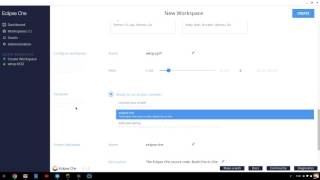
- 16:13Create Workspace
- 21:45Chefiles
- 22:35Default Chefile
- 23:30Che Syntax
- 24:42Live Demo
- 28:05Project Configuration
- 33:10Status Commands
- 34:20Stack Editor
related talks
 27mWriting/Running/Debugging Docker Applications with Eclipse Che
 25mIntroduction to Eclipse Che
 45mEclipse Che
 47mEclipse Che and Development of Microservices Apps
 06mLeveraging Eclipse Che for developers
 45mDevelopment environment as code
 42mTaking Eclipse Che to the enterprise
 24mEclipse Che & the future of Cloud Development Tool