Getting the Most Out of GDB

summary
Shows how to use GDB’s TUI mode to view source and assembly, Python pretty-printers to format custom C/C++ structs, and a custom prompt that prints time and function. Demonstrates gdbserver + target remote for embedded-like debugging, conditional and regex breakpoints, watch -l for precise memory watches, multi-process inferiors with catch fork and follow-fork/detach settings, dynamic printf, calling functions from GDB, and time-travel debugging (record/reverse and rr/Intel branch tracing) to find an out‑of‑bounds write; recommends compiling with -g3.
AI-written summary · about
chapters (6)
- 0:00Start
- 20:34Breakpoints
- 27:31Multiprocess Debugging
- 35:40thread apply
- 36:17calling inferior functions
- 37:43Reversible Debugging - how did that happen?
related talks
 01h 27mBecome a GDB Power User
 59m“GDB - A Lot More Than You Knew"
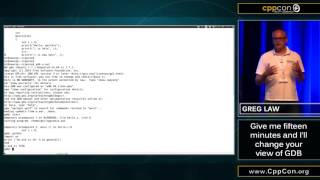 15mGive me 15 minutes & I'll change your view of GDB
 01h 26mBoost your C/C++ Developer's Debugging Powers with GDB
 29mLiberating the Debugging Experience with the GDB Python API
 01h 29mModern Linux C++ Debugging Tools - Under the Covers
 01h 01mBack to Basics: Debugging in Cpp
 42mWhat Really Happens When You Hit a Breakpoint