Making your voice heard: Open Source Needs You

summary
Explains concrete first steps: use GitHub issues and CONTRIBUTING.md, look for labels like first-timers-only or help-wanted, join Slack/IRC for clarifications, and file tiny PRs (first PR dated Oct 28 2013 on a hello-worlds repo). Describes non-code contributions—documentation, UX, translation, marketing—and gives a real outcome: contributing contribution guidelines that get merged and ported across projects and running a funded program Rails Girls Summer of Code to pay contributors for three months.
AI-written summary · about
chapters (28)
- 0:00Intro
- 2:24Open source is at the centre of the tech industry. even when it's invisible.
- 2:36Why is the idea of contributing to Open Source software so scary?
- 3:09Open Source is volunteer work
- 4:09You are good enough
- 5:07Different types of contributions
- 5:30Open Source is design.
- 5:41Open Source is community
- 5:55Open Source is documentation
- 6:05The path to your first contribution
- 6:19Find a project with a welcoming community
- 7:31Use the power of GitHub labels
- 8:59Your first significant project
- 10:27Contribute to tools or projects you use
- 11:07Look for projects that can use your skills or knowledge
- 12:20Choosing which project to contribute to is like deciding which organisation you want to do volunteer work for.
- 13:11Does my work make a difference?
- 13:28Do I like the community?
- 14:01Is there work available for me to do?
- 14:25Choosing and working on your issue
- 14:39The issue tracker is a good place to start
- 14:51Start with CONTRIBUTING.md
- 16:06Don't hesitate to ask questions
- 16:36Be respectful of other people's time
- 16:52Don't do any work you don't want to do
- 17:15Start your own project
- 17:36Summary
- 18:19Software is as much about people as it is about code
related talks
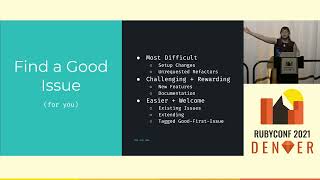 32mYour First Open-Source Contribution
 22mA beginner's guide to Open Source
 35mYour First Open-Source Contribution
 45mGetting Started with Open Source
 38mGuide to getting started in open source
 40mI wanna do Open Source, but I don't know how
 32mGetting Started in Open Source
 10mBecoming an awesome open source contributor