Building with Web Components using X-Tags

summary
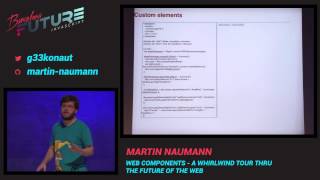
Uses Web Components via xtags/brick to build mobile UI: registers a custom tag with xtag.register, creates X-deck and X-card views, an X-app-bar, and an X-date-picker polyfill; implements a clickable <random-cat> custom element that invalidates cache to fetch new images and demonstrates lifecycle callbacks (created/inserted/removed/attributeChanged). Shows a drag‑and‑drop App Maker (Flathead) that publishes installable builds to Firefox OS. Demos work end‑to‑end (network delays noted on tethering); library targets evergreen browsers down to IE9 and shares code with Polymer.
AI-written summary · about
chapters (11)
- 0:00Introduction to Meet Spaces
- 1:38Speaker background and focus
- 4:09Overview of web components
- 7:07Key web component technologies
- 11:26Introduction to Brick
- 14:49Building a brick application
- 20:18Adding advanced components
- 21:45Creating custom elements
- 25:41Custom element lifecycle
- 27:05App Maker demo and resources
- 30:23Browser support and resources
related talks
 36mWeb components - A whirlwind tour thru the future of the web
 41mAccessibility of Web Components
 51mBuilding web applications with Web Components
 40mWeb Components: It’s about Time
 19mWeb Components
 41mComponents Approach to Building Web Apps
 36mBuilding framework agnostic UI with Web Components
 02h 32mBuild next gen web apps using web components